
The front office built around your calendar

Turn every booked call into a client journey.

Scheduling, contacts, conversations, pipelines, payments and follow-up workflows work together—so your next step is already moving.

One-time payment for every non-AI feature. Pro adds the full AI Team and $100 AI credits. Refundable within 30 days.

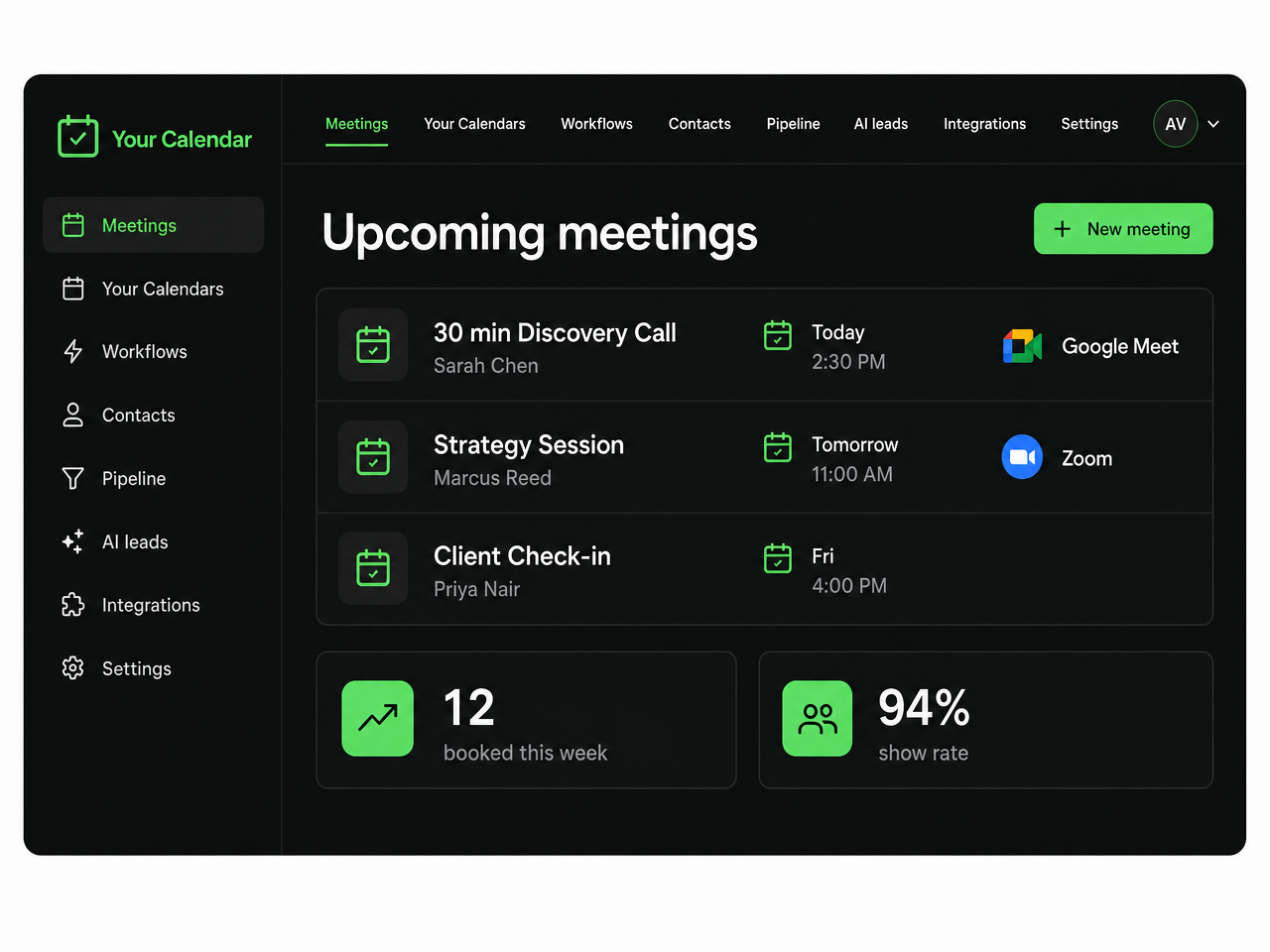
Your Calendar dashboard showing upcoming meetings
Bookings, people and meeting links—visible at a glance.

Unlimited

booking pages

Multiple

Google Calendars

Your Stripe

for payments

Your Twilio

for SMS

Built to move the business forward

Your booking tool should not stop when someone picks a time.

Your Calendar carries the person, their answers and the appointment into the work that follows.

  1. 1

    They book

    An invitee picks a time on your booking page—availability and timezones handled.

  2. 2

    Contact created

    Their answers and booking history land in the CRM as a contact and a deal.

  3. 3

    Confirmations sent

    Email from your connected sender and SMS through your own Twilio account.

  4. 4

    You get paid

    Paid bookings and invoices run through your own Stripe account.

  5. 5

    Follow-up runs

    Your workflow moves the deal and schedules the next touch on its own.

Your all-in-one front office

The whole client journey starts with one booking.

Choose a part of the system to see how the appointment moves forward without another disconnected subscription.

Get booked

Booking pages built around your real availability

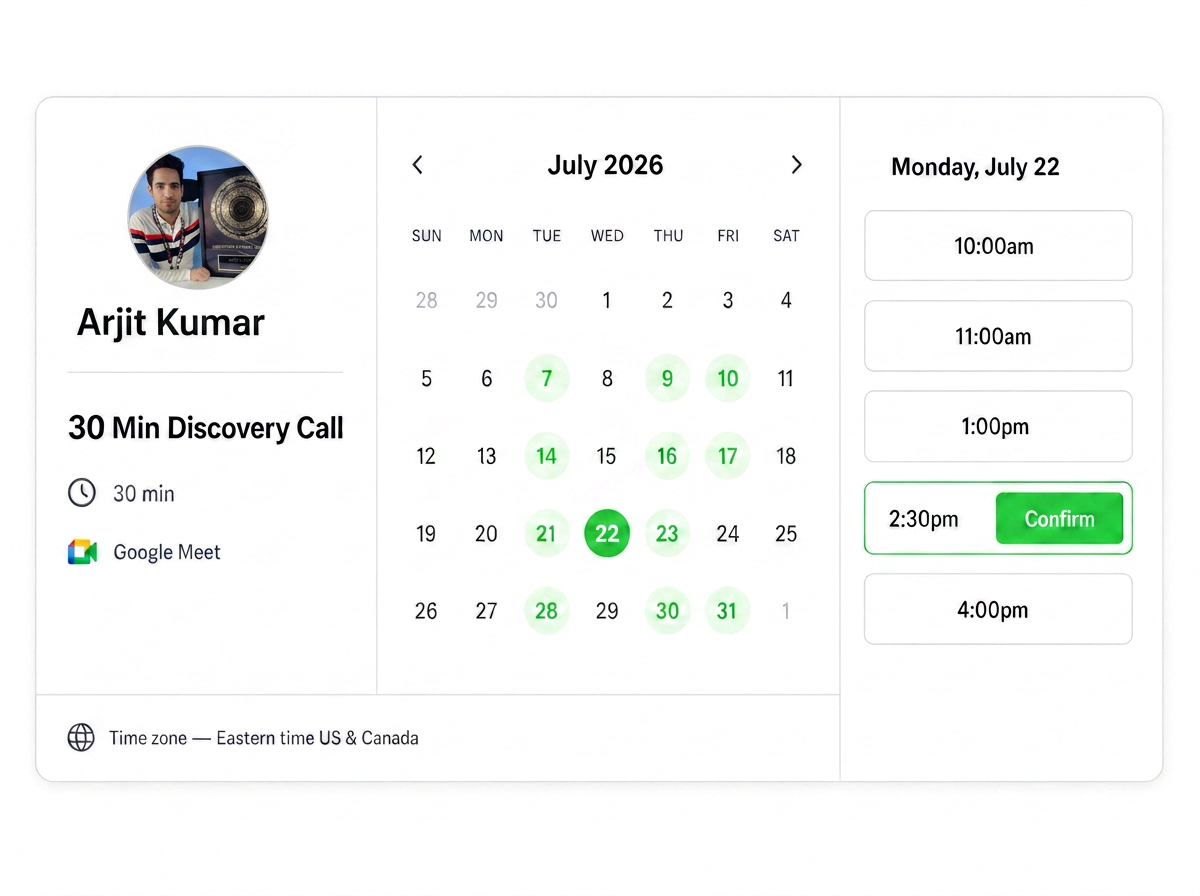
Connect multiple Google Calendars, set buffers and notice rules, ask qualifying questions, and let every invitee book in their timezone.

Google Calendar
See it on my calendar
Your Calendar booking page with available dates and times
Booking pages built around your real availability

Meet your AI team

One business.
A team for the work around it.

Handle the admin. Qualify the lead. Create the content. Build the campaign and the page. Each AI has a specific job — and you stay in charge.

Pro includes the AI suite. Specialist modules can also be unlocked separately. AI usage uses credits.

Mandy Ai

01

Your copilot & AI team lead

Tell Mandy once. She runs your app — and your AI team.

Ask Mandy about meetings, contacts or revenue, or have her prepare an invoice, move a deal or run a workflow. She also passes work to your other agents — Funnel Doctor audits a page, Creators Ai drafts posts in your voice, an Ads Ai specialist reviews your ad copy — then shows you the results in one reply.

  • “Audit my booking page and write 3 posts about it”
  • “Ask the ad team for 3 headlines for my offer”
  • “Move the Jensen deal to Proposal sent and draft an invoice”

Voice and text connected to a calendar, contacts, invoices and specialist AI agents through an approval checkpoint
  1. 1Speak or type
  2. 2Mandy hands off the work
  3. 3You approve anything live
  4. 4Results land in your app

Save time

One request instead of opening four different tools.

Reduce busywork costs

Drafts, audits and ideas ready in minutes, not afternoons.

Support conversions

Nothing publishes, schedules or changes settings without your OK.

Drafts run right away; publishing, scheduling and setting changes always wait for your approval.

Closers Ai

02

Your appointment setter

Turn a visitor’s questions into a booked conversation.

Your setter chats on your booking page or embedded widget, asks your qualification questions and offers available times. Returning leads can pick up the conversation, and you can take over when a person needs you.

  • Qualify and score leads against your rules
  • Book, reschedule or cancel within the conversation
  • Keep transcripts and lead details together
A visitor conversation becomes a qualified contact and a booked calendar slot
  1. 1Visitor chats
  2. 2Your rules qualify
  3. 3Available time booked
  4. 4Lead saved

Uses real availability and your qualification rules. Human takeover is available; a booking is not a guaranteed sale.

Creators Ai

03

Your eight-agent content team

From “what should I post?” to a batch ready for review.

Train the team on your offer, audience and voice. Specialists turn ideas into hooks, scripts, captions and visual concepts, while your calendar and content library keep the work organized.

  • Draft reels, carousel copy, captions and images
  • Save brand guidance and reusable content
  • Schedule approved posts for connected social accounts
A content brief flows into copy and image drafts, then a content calendar

The specialists behind the work

  • Manager coordinates
  • Research finds angles
  • Hook Writer opens strong
  • Script Writer develops copy
  • Designer plans visuals
  • Publisher packages posts
  • Engagement handles replies
  • Analyst reviews your numbers
  1. 1Set your voice
  2. 2Approve ideas
  3. 3Review drafts
  4. 4Approve publishing

Approval checkpoints before scripting and publishing. No promised reach, engagement or sales.

Ads Ai

04

Your campaign & creative team

Test better angles. Not just more random ads.

Work from your offer and brand to build campaign plans, copy and creative variations. Meta and Chat Ads Ai have separate workflows, so a sponsored card is not treated like a Reel or carousel.

  • Research offers, audiences and creative angles
  • Generate copy, images and platform-specific previews
  • Review available performance data before deciding what to test next
Meta adsChatGpt Ads
Research becomes multiple ad creative variations and a reviewed performance report

The specialists behind the work

  • Brand sets context
  • Research gathers signals
  • Angles / Hooks develops openings
  • Script / Copywriter drafts
  • Creative / Card Designer builds visuals
  • Engagement develops replies
  • Testing plans experiments
  • Analyst reads results
  • Winners identifies patterns
  • Manager coordinates
  • Publisher prepares launch
  • Landing Experience checks message fit

Roles adapt to the platform: Script and Creative for Meta; Copywriter, Card Designer and Landing Experience for Chat Ads Ai.

  1. 1Brief the offer
  2. 2Build variations
  3. 3Review & launch
  4. 4Analyze real results

Save time

Shorter creative preparation cycles.

Reduce busywork costs

Compare variations before committing more advertising spend.

Support conversions

Align the ad, offer and destination instead of testing disconnected messages.

You control launches and budgets. Platform access and connections are required; performance and lower ad costs are not guaranteed.

Funnels Ai

05

Your Pages Ai builder

Give every offer a clear next step.

Start from your offer or a page template. Generate landing-page copy and sections, edit the result, then publish a page that takes visitors toward an opt-in or booking.

  • Generate landing pages and individual funnel sections
  • Edit sections and review before publishing
  • Use opt-in, booking and thank-you templates
An offer brief becomes editable landing page sections and connected opt-in, booking and thank-you pages
  1. 1Describe your offer
  2. 2Generate a draft
  3. 3Edit & review
  4. 4Publish your page

Generated pages need your review. A published page does not guarantee leads or conversions.

Funnel Doctor

06

Your AI funnel audit

Find the friction before rebuilding the whole funnel.

Give Funnel Doctor a live page URL. It reviews the offer, messaging, trust and page experience, then organizes recommendations so you can decide what deserves attention first.

  • Review a live page across multiple audit dimensions
  • Surface unclear messaging and possible friction
  • Prioritize recommendations for your next revision
A landing page is inspected and turned into prioritized issues and recommended improvements
  1. 1Share a page URL
  2. 2AI reviews it
  3. 3Prioritize findings
  4. 4Make & test changes

An AI review, not a measured conversion experiment. Recommendations do not automatically change your page.

Give the repetitive work a team.

Your results depend on your offer, setup and audience. These agents help you do the work — they do not promise a particular saving or conversion rate.

Explore AI access

Replace the scattered stack

One connected system instead of a tool for every next step.

The comparison below shows the kinds of separate products normally combined. Exact third-party plans and prices change over time.

Swipe the table sideways to see every column

Features
Replaces or connects
Other tools
Included
Booking pages and appointments
Calendar + meeting tools
Multiple connected calendars
Calendar upgrade
Contacts and booking history
Separate CRM
Custom deal pipelines
CRM upgrade
Email reminder workflows
Sender + automation
SMS through your own Twilio
SMS provider
Paid bookings and invoices
Payments platform
Contact and event pushing
Connected receivers
Specialist AI agents
—
Separate AI products
Pro

Start with the connected core for $97 once.

AI is optional. Monthly and Resell Rights plans are also available. Every plan is refundable in full within 30 days.

Compare every plan

Your connected toolkit

Works with the tools you already use.

Google CalendarGoogle MeetZoomGoTo MeetingStripeZapierSlackClickFunnelsGoHighLevelHubSpotKajabiMicrosoft DynamicsCustom EmailResendTwilioWordPressSquarespaceWixGoogle AnalyticsMeta PixelChatGpt Ads
Who it's for

Built for people who get paid for their time

If a booked call is how you make money, everything here is pointed at getting more of them on the calendar — and making sure they show up.

Coaches & consultants

Discovery calls, paid sessions and follow-ups on one link, with the notes and answers from every client kept together.

Agencies & service providers

Route new enquiries into a pipeline, assign calls to the right person, and invoice from the same place you booked the work.

Sales teams

Shared availability, booking assignment, reminders that cut no-shows, and reports on what each source actually booked.

Solo operators

One app instead of a scheduler, a CRM, an invoicing tool and an email sender — paid once, not every month.

Simple ways to own or use it

Three plans. One-time payment.

Lifetime

$97one-time

Every non-AI feature

  • Unlimited teams, 5 workspaces
  • Calendars, CRM, pipelines and payments
  • Email, your Twilio SMS and workflows
  • Agency tools and reporting
Choose Lifetime
Full AI Team

Pro

$397one-time

Full AI Team + $100 AI credits

  • Everything in Lifetime
  • Mandy and every specialist AI agent
  • AI setter, content, images and funnels
  • $100 AI credits included once
Choose Pro

Own the App

$1,497one-time

Your own copy with full resell rights

  • All features unlocked
  • Inside your own Lovable account
  • Your name, brand and domain
  • Sell copies and keep the revenue
Choose Own the App

AI usage needs credits. The AI Team is included with Pro ($397). Own the App requires your own service accounts and ongoing usage costs.

Questions people ask before buying

Straight answers about access, payments, AI and the features included today.

Make the next booking easier

One booking link. Every next step connected.

Start with Lifetime for every non-AI feature, choose Pro for the full AI Team and $100 AI credits, or own your own app copy.

One-time payment, no monthly fee for the core app. Refundable in full within 30 days.